Browse


···
Log in / Register
 Favourites
 Share
Share R. Afonso Soares, 1-699 - Soares, Cachoeira do Sul - RS, 96501-544, Brazil
New
Condition
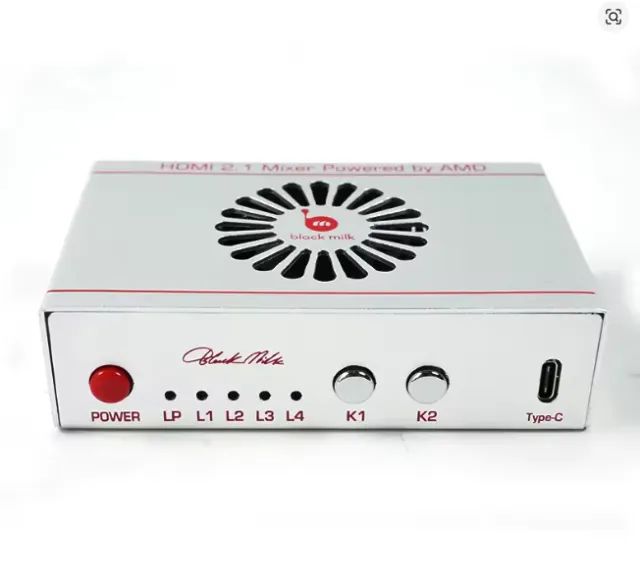
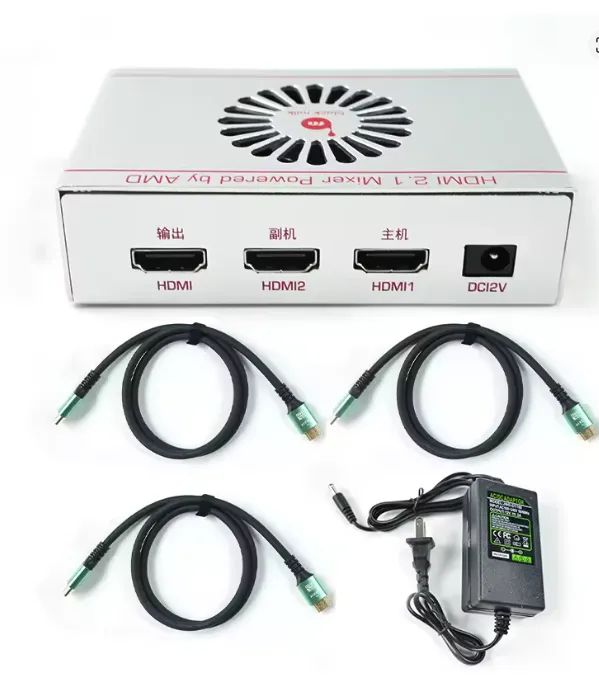
FUSER FOR USE IN NEW DMA ONLY TESTED ---------------------- High-Resolution Support Compatible with 2K 144Hz and 1080p 240Hz. Enhances visual clarity on HDMI monitors. Multi-Functional Compatibility Seamless integration with various HDMI monitors. Ensures broad system compatibility. Durable Construction Robust construction using the DMA 5th Fuser module. Designed for high durability. Efficient Global Shipping Fast processing and shipping to key regions. Includes USA, UK, Australia, and other countries. Dichen - 6th Generation - Fully Automatic Fusion Device Operating Instructions Connect the device using the provided HDMI 3×2.1 cable. Ensure both computers are configured to the same resolution and refresh rate (Hz). Power on the device and adjust settings via the control panel. Technical Specifications Interface Configuration Output compatible with HDMI ? Primary monitor HDMI-Compatible 1 (Host) ? Primary GPU HDMI-Compatible 2 (Secondary) ? Secondary GPU USB-C port ? Firmware update / EDID injection DC 12V input (12V 2A power supply) Important Warnings ? The primary GPU must not be connected directly to the primary monitor. ? Use only the provided Chinese power supply or a compatible converter. ? Device color is shipped randomly. Indicator Status D1 - Power: LED on = device operational D2 - Fusion: Fusion function (on/off) H1 - Host Signal: LED on = normal signal H2 - Secondary Signal: LED on = normal signal Control Panel Functions Power Button Powers the device on and off. K1 Button Short press: toggles resolutions (1080p / 1440p / 4K / 21:9) Long press (3s): displays current resolution/Hz in screen corner K2 Button Adjusts overlay mask intensity (0–20 levels) K3 Button Restores overlay mask intensity to factory default (0) K4 Button Turns fusion function on/off Troubleshooting If fusion function is enabled but not working: Set the secondary device background to pure black.
 Show map